Hybrid Pathology Tracking using Sealed Transport Bag Principle
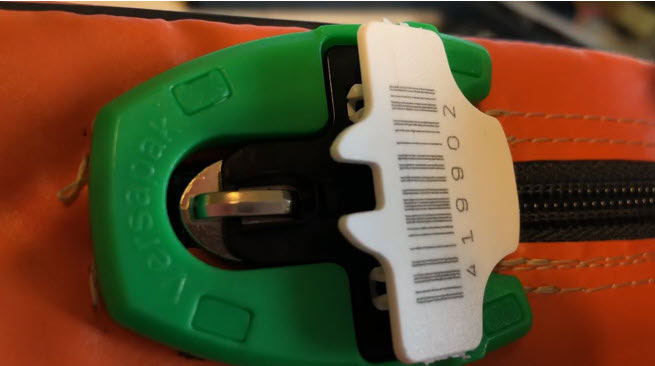
Tamper Evident Seals help facilitate Sealed Bag Tracking
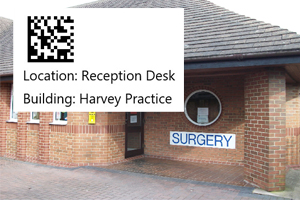
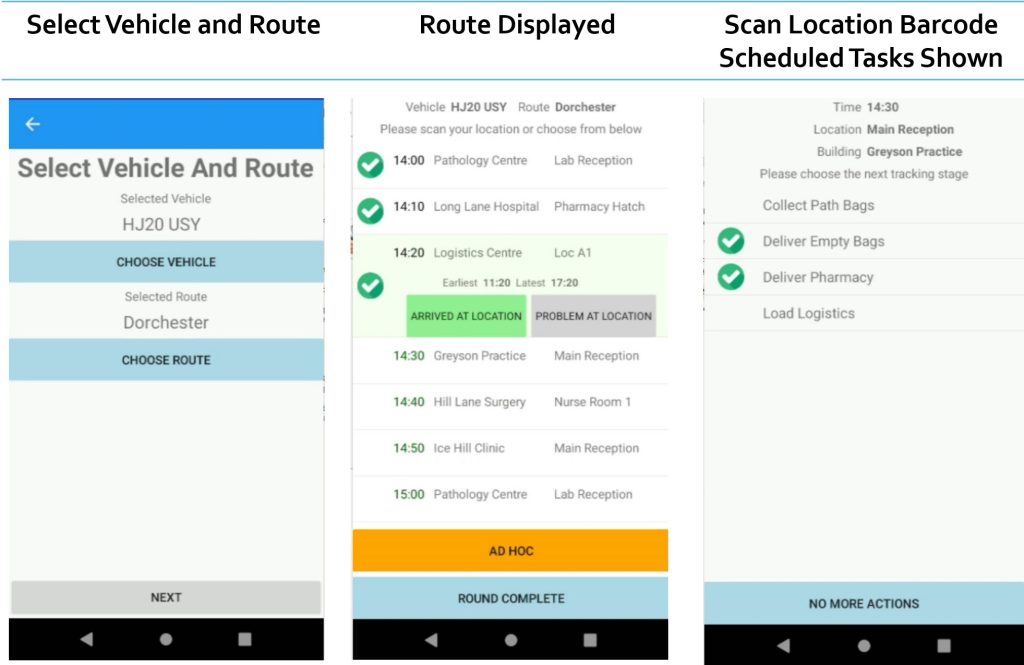
Tracking Pathology from GP Surgery with Location Barcode
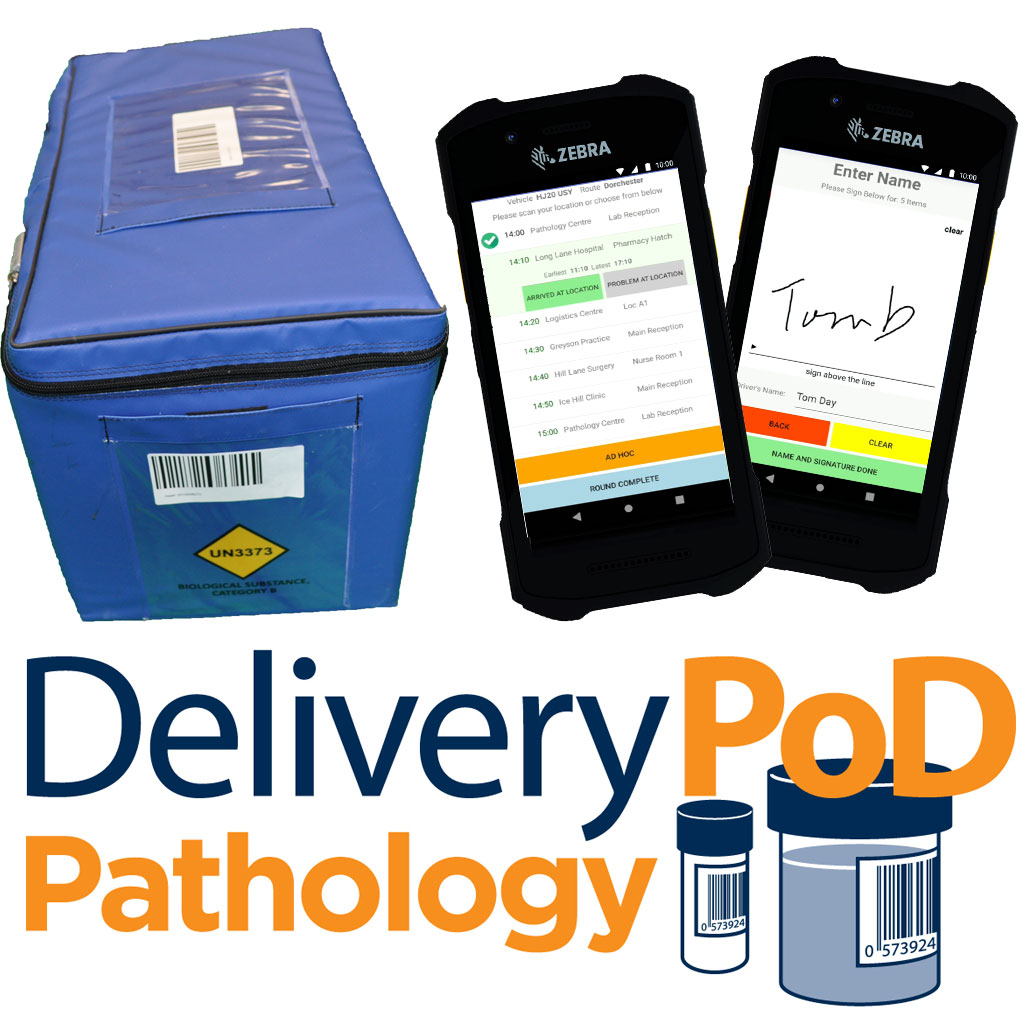
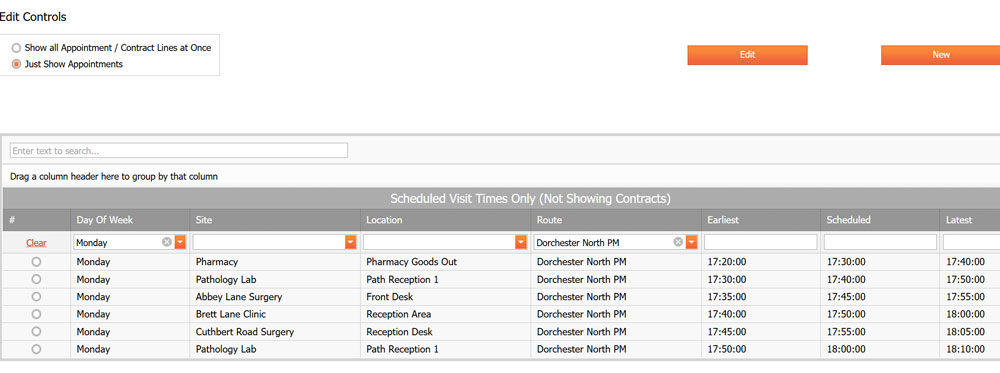
Pathology Collection Route Scheduler
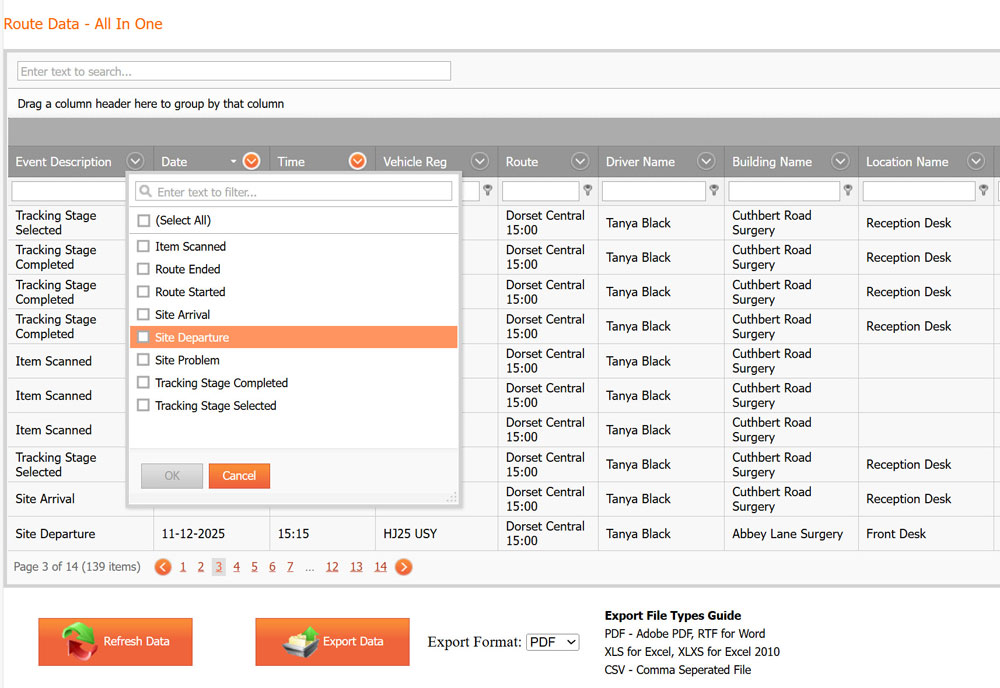
Data available from Route
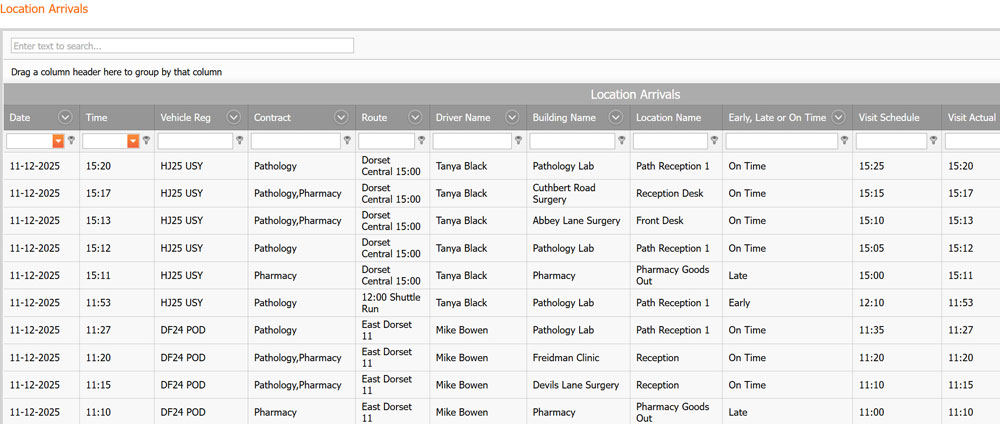
You can see where visits were on time, early or late
Pathology Tracking System
A system designed for NHS Collection and Delivery Rounds where Pathology is a critical focus.
The solution was designed after spending time in a Pathology Department and going with Drivers to collect Pathology from GP Surgeries, Clinics and Hospitals and bringing them to the different Pathology Labs.
We saw the challenges in great detail:
Time Restrictions for some sample types, where lateness can lead to very bad healthcare outcomes and legal cases.
GP Surgeries not being ready for the driver or for driver to be told to stand in line or a chatty receptionist holding the driver up
Drivers starting early, late or taking too long for lunch, so GP Surgeries do not get their scheduled time window arrival
Surgeries that shut early or have nothing to collect, but don’t tell Transport
That is on top of the Tracking of the Transport Bags or Individual Samples.
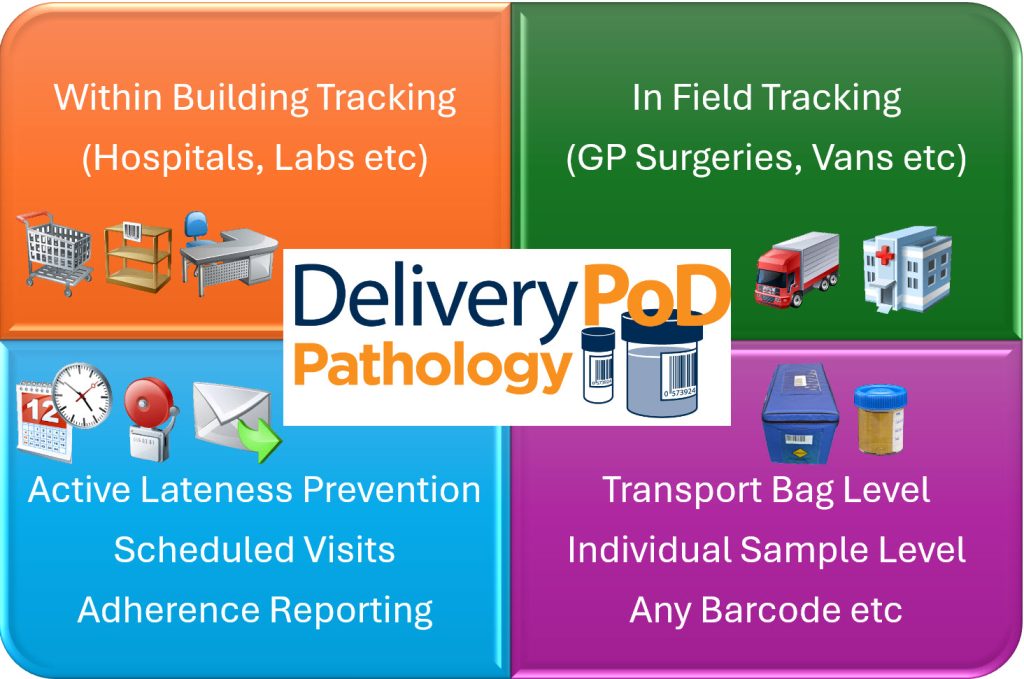
Level of Tracking
We offer 3 different levels (ways) to Track:
Transport Bag Level
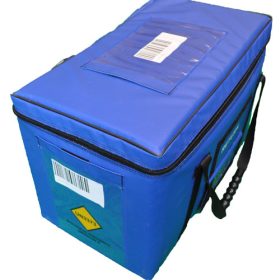
Here we put a Barcode onto the Blue Transport Bags, which is scanned at Collection and Delivery (plus any van to van transfers).
We are not attempting to track at individual sample level, we are simply proving Transport Bag 123 was collected from The Smithson Surgery at 09:35 (by Fred Mason, went onto DF24 POA) and was delivered to Old Cross Pathology at 10:55
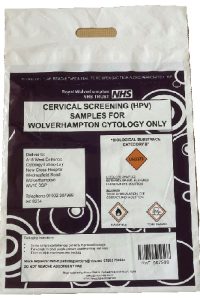
Individual Sample or Poly Bag Level
This approach involves scanning each item at each point.
This might be practical for some types of Pathology, but not all. It does however enable you to prove at individual item level what was collected and delivered.
This can be used with Transport Level Bag Tracking for a Mix and Match Approach.
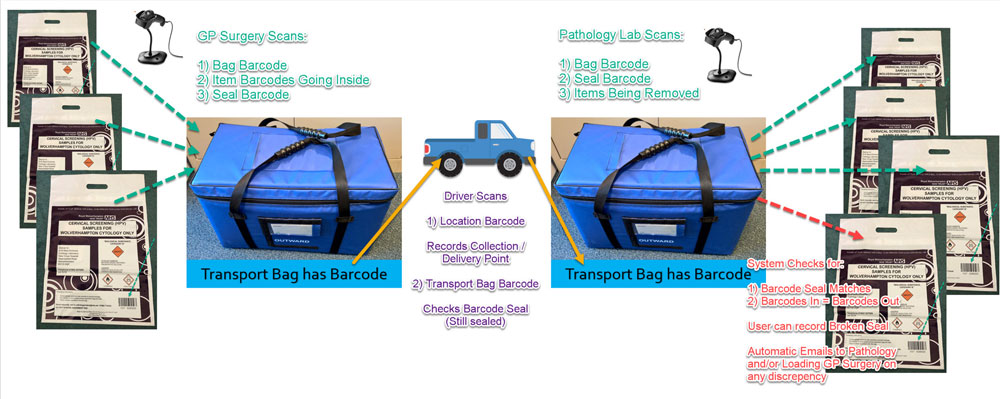
Hybrid – Sealed Bag Model
GP Surgeries, Clinics and Other senders Logon to the Website and use a £50 USB Barcode Scanner to Load a Transport Bag with Individual Samples:
Scan the Transport Bag Barcode
Scan NHS Sample Barcodes into the Bag
Seal the Bag (option to use a Tamper Evident Seal with Barcode)
The Driver Now scans the Bag Barcode to move the Bag (and its sealed contents) through the Logistics Steps getting it to the Pathology Lab
The Pathology Lab Logs onto the Website and uses a £50 USB Barcode Reader to unload the Bag (the reverse process):
Scan Bag Barcode
If using a Barcoded Seal – Scan that Barcode so it checks a new seal has not been applied
Scan Individual NHS Sample Barcodes out of Bag
Any Discrepancies (missing samples or extra samples are noted and these can be seen in reports. By default discrepancies are automatically emailed to both Pathology Staff and Sender (typically GP Surgery).
A lot more scanning, but you can now track to individual item level, without the driver opening transport bags.
Recording Location (GP Surgery etc)
We have 2 levels of Physical Location:
Building or Site Name
Location within Building
Barcodes can be Printed Off, so they can be Scanned to record:
Where you Collected From
Where you Delivered To
Basic Tracking
You can simply record:
What you collected
What you delivered
Who did it
At what time and using what vehicle
That is achieved by:
Driver Logs onto Vehicle
Scans Location Barcode, so there is a record of where they are (GP Surgery, Clinic, Pathology Lab)
Selects “Collect” and Scans Bags / Items Collected
Selects “Deliver” and Scans Items Delivered
This Step is repeated until the Driver has finished
Driver Logs Out at end of Round
So that is how we get what, when, where etc – a basic audit trail.
Time Critical - Basic Warnings
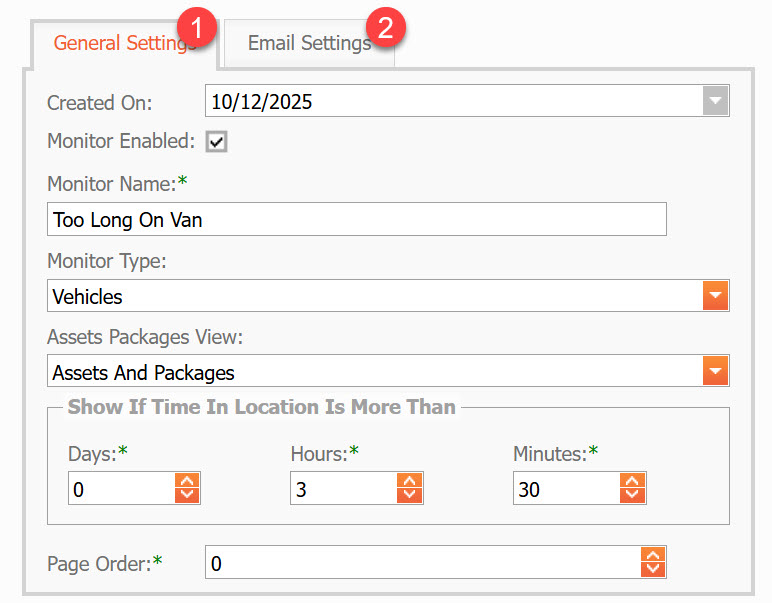
DeliveryPoD has a feature called “Monitors” and we use these to:
Create a Real-Time Display Board
Send Escalation Emails Automatically
So we set these up for:
Items on Vehicles with the Time Thresholds you want
Items in Pathology Reception with Time Thresholds you want
These can filtered so they only apply to certain types of items etc, so they can form a sophisticated warning system.
We do have to point out, that you should not rely on this feature as technology is fallible (the mobile might be out of coverage, an email may not get through), so the feature should be viewed as an extra bit of assistance rather than people thinking it will catch everything!
Adding Routes and Schedules
You can add the “Collection Round Module” which adds the following to the solution:
Routes can be created such as “North Dorset”
ScheduledVisits can be added to the Route, along with Targeted Time Windows and Actions for the Driver
“The Harvey Practice” – 09:00 to 09:20, Deliver Empty Path Bags Collect Path Bags
You can set Tasks for each Visit
The Driver has an easy time, as they:
Logon to Device
Their Normal Van and Route are Pre-Selected (if set), but they can adjust.
A Schedule now appears on their Device
They select the Location and are prompted to
Scan the Location Barcode
A Checklist of tasks is displayed, such as:
Deliver Empty Path Bags
Collect Full Path Bags
As Tasks are completed, they are ticked off the list
At the end of the visit, they click No More Actions which effectively says they are leaving that site
So what does this add?
See all actions and scans at a Site, at a glance
We can see whether Drivers are arriving within their time windows
If not, did they Start Early or Late?
Was the route on time, then it went wrong – typically traffic
Was a particular Surgery causing the driver a delay?
How long is a Driver at each location?
Do we have GP Surgeries that regularly cause a Driver issues
Drivers can also Record “Problems At Location”, for example:
Surgery was shut (may take photograph as proof)
Traffic meant they could not attend
This data can also be analysed to see if there are patterns such as a GP Surgery shutting early before bank holidays etc.